There is frequently much confusion about the different online tools we use at Worcester u3a. This guide aims to make everything crystal clear for members, so that you don’t get bogged down in password nightmares. The passwords you use to login to the two tools are different, and won’t work in the wrong tool!
There are two tools you need to know about:
Beacon
This is the membership database used by many u3as including our own. It enables the committee and group leaders to access members’ details so as to send them renewal notices and other communications. It is not accessible to the general public.
Every member of Worcester u3a is able to access their own membership record in order to check all is correct or make changes, for example if you move house. This is not compulsory however, and you can always contact Membership if you would like the Membership Secretary to make any changes for you. If you are not a member of the committee or a group leader, you will only be able to see your own details.
You can access Beacon by clicking on this button:
The u3a Beacon Team have produced an excellent video which explains what you will need to do to access the Beacon system. Please follow this link:
Video about accessing the u3a Members Portal
The Beacon login page looks like this:

- If you have not logged in before, use the option ‘Register for a membership account’
- If you believe you have set a password before but can’t remember it, try using the ‘Forgotten password’ button.
If you are still struggling, please contact Membership
The public Worcester u3a website
This is a website aimed at our current members and potential new members alike, and is therefore publicly accessible without needing login or password.
The website address is https://worcester.u3asite.uk/ and it looks like this:

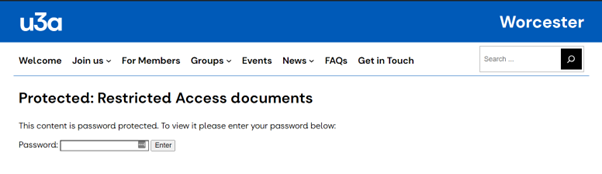
Anyone can access any of the information on this website, with one very important exception. We have a few restricted documents – Worcester u3a policies, AGM papers etc – which are only accessible to current Worcester u3a members and this does require a password. The password is provided to members when they join or renew. You will know if you need to use it; you will get a message as below:
If you have lost the password provided to you when you joined or renewed, you can email
The u3a_contact addressee is not known or has no email address
for a reminder.Group Leaders
Group leaders may have one or two additional logins to those described above. These are:
- A second password for Beacon which allows them to administer their groups.
- A username and password for the public website which enables them to edit just their own Group pages.
Once again, these are quite different to each other and will not work if switched around!
Group leaders who are struggling with Beacon should contact Groups Coordinator in the first instance.
For problems logging into the public website to amend a groups page, please contact
The u3a_contact addressee is not known or has no email address